Fake Sick Roblox codes, rewards, and redeem steps
Working promo codes, redemption steps, and what to do when a code fails.
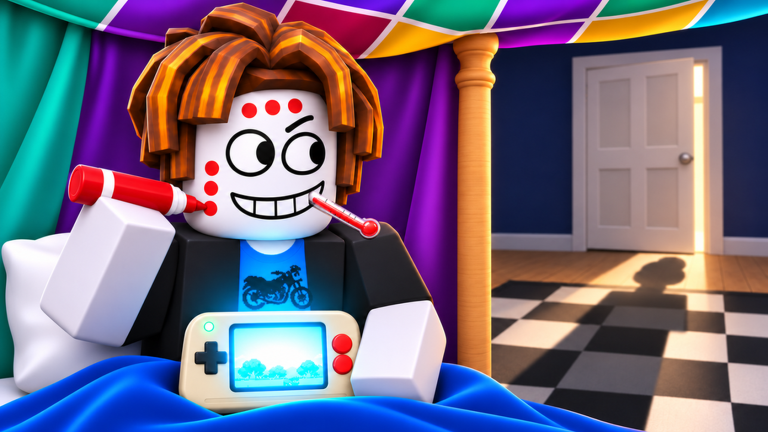
Looking for Fake Sick codes is one of the first things players do after joining a session. Codes can speed up early cash, fort upgrades, and GamePal progress so you spend less time grinding NOOB QUEST under the blanket and more time preparing for Bacon Mom’s checks. This hub tracks active codes, expired ones, and the exact redeem path inside the Roblox experience.
Fake Sick! launched in late October 2026 from Pizzi Productions and already sits well past three million visits. Because the game is still young, code drops tend to appear around updates such as Dad’s Home, milestone celebrations, or group shoutouts. Bookmark this page and re-check after every patch listed on the Updates Hub.
Active codes
Official Pizzi Productions free codes (redeem in the ticket shop):
| Code | Reward | Status | Notes |
|---|---|---|---|
NOSCHOOL | Free tickets / starter boost | Active | Posted with the free-codes shout |
ACHOO | Free tickets / starter boost | Active | Case-sensitive — type exactly |
BACONMOM | High-value ticket drop | Active | Pizzi called this one “way too good” — redeem first |
Redeem these inside the ticket shop Codes entry, not a random website. If a string suddenly fails after a hotfix, move it to the expired table below and keep farming NOOB QUEST until the next drop.
How to redeem Fake Sick codes
- Open Fake Sick! on Roblox and join a live server.
- Wait until your character loads into the house and the HUD finishes spawning.
- Open the ticket shop and find the Codes input (some builds also show a Twitter/X style button near shop or settings).
- Type the code exactly as listed — most Roblox codes are case-sensitive.
- Confirm and check your tickets, cash, inventory, or fort materials for the reward.
If the button is missing, the developers may have temporarily disabled redemptions during a hotfix. Try again after the next restart listed on the Dad’s Home update notes.
Expired and inactive codes
Expired codes stay listed here so you do not waste time retrying them:
| Code | Former reward | Status |
|---|---|---|
| — | — | No public codes archived yet |
Community rumor codes that fail for every tester also belong in this section once we can confirm they never worked.
What to buy first with code rewards
Tickets and cash from codes are most valuable early:
- Fort upgrades toward MEGA FORT give you better cover when slippers hit the stairs.
- GamePal → Golden Handheld progress shortens NOOB QUEST runs so you bank cash faster between Mom checks.
- House unlocks (downstairs, kitchen, big TV) expand escape routes and hiding spots.
- Keep a Doctor’s Note budget if you play co-op — one caught friend can end a Perfect Attendance run.
Pair code rewards with the Getting Started route and the sickness tier list so you invest in perks that actually survive thermometer and cough checks.
Why codes fail
Common failure reasons in Fake Sick:
- Typo or extra space — copy carefully; do not add punctuation from chat messages.
- Already redeemed — most codes are one redeem per account.
- Expired after an update — Dad’s Home and future patches can rotate promo lists.
- Server desync — leave and rejoin if the UI accepts the code but inventory does not update.
- Wrong experience — make sure you are in Fake Sick! (place ID
116365602177114), not a fan copy.
Safe code hunting habits
Never enter your Roblox password into a “code generator” site. Real codes are short strings redeemed inside the game client. Prefer this wiki, the official Pizzi Productions group, and developer shoutouts. If a site asks you to complete surveys for Fake Sick codes, skip it.
For script-related freebies, read the Scripts Hub safety notes instead of pasting unknown loadstrings. Codes and scripts solve different problems: codes grant legitimate rewards; scripts can risk your account.
After you redeem
- Spend tickets/cash on fort and handheld upgrades before diving into risky downstairs runs.
- Review how to avoid getting caught so new items do not make you louder or more visible to the dog.
- Check Players for Bacon Mom, Dad, and dog behaviors that change how you use new rooms.
- Aim for the First Day Off badge on day one, then push toward Perfect Attendance (At Home) by Friday.
Related pages
- Guides Hub — walkthroughs for forts, sicknesses, and co-op saves
- Tier List — which sickness perks are worth buying first
- Updates — patch notes that often ship with new codes
- Official Links — Roblox game page and group
This codes page is updated whenever a working string is verified in a live Fake Sick server. If a code suddenly stops working mid-week, assume an emergency expiry and fall back to NOOB QUEST farming until the next drop.
Frequently Asked Questions
Quick answers to the most common Fake Sick questions.
Are there any working Fake Sick codes right now?
Yes — redeem NOSCHOOL, ACHOO, and BACONMOM in the ticket shop. BACONMOM is the highest-value drop from the Pizzi free-codes shout. Re-check this hub after every major update.
Where do I redeem Fake Sick Roblox codes?
Join the official Fake Sick! experience, open the ticket shop Codes input on the HUD, type the code exactly, and confirm. Rewards appear as tickets, cash, or items in your session inventory.
Why did my Fake Sick code say invalid?
Codes fail when mistyped, already redeemed, expired after a patch, or entered in the wrong experience. Rejoin the server once, then verify the code against this hub.
Do Fake Sick codes work on mobile and console?
If the Codes UI appears on your platform, the same strings work. Some HUD layouts differ on mobile, so look near shop or settings icons after the house loads.